
Beep. Order built.
Scan barcodes, watch rows add themselves, take a note, checkout. The real POS order screen from BSimple’s customer portal — fast as a checkout, because it is one.
Where scanning fits in the day.
Barcodes earn their keep wherever speed and accuracy meet: the trade counter at 7am, the warehouse picking line, the market stall, the delivery ute. The POS screen is built for those moments — keyboard optional, thinking optional, mistakes engineered out.
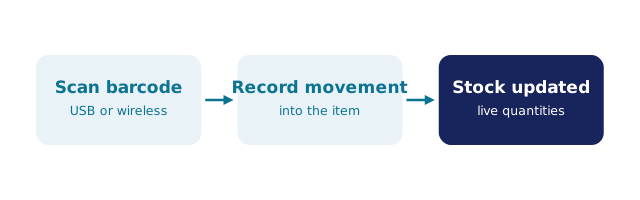
- Scan → row added — no product search, no typos
- Quantities adjust with a tap when the box holds twelve, not one
- Order notes captured in the flow
- Checkout lands the order in the normal pipeline, stock-checked
One order pipeline, many front doors
The POS screen is one of three doors into BSimple’s order flow — alongside the customer ordering portal and manual entry. That consistency is deliberate: whichever door an order arrives through, it is stock-checked, lands in the same inbox, and follows the same path to approval, printing and Xero.
For businesses running both a counter and delivery rounds — packaging suppliers, food distributors, brewing supply — that means staff can serve a walk-in at the counter while a customer orders themselves from the ute, and both orders behave identically behind the scenes.
Barcode POS FAQs
What can I scan with BSimple’s POS screen?
Product barcodes — scan and the line adds itself to the order. It is built for counter and warehouse speed: scan, adjust quantity if needed, take a note, checkout.
Is the POS screen the same one customers use on the portal?
The POS order screen is part of the BSimple customer portal stack — the animation on this page is rebuilt from the real POS order screen used in the product.
Do I need special hardware?
The POS runs in the browser, so any standard USB or Bluetooth barcode scanner that types into a browser will drive it. No bespoke terminal hardware required.
Does a scanned order check live stock?
Yes — like every BSimple order path, the POS order is checked against live stock, and it lands in the same Orders inbox as portal orders.
See it running on your numbers
Start a free BSimple trial — no credit card, just your email — or talk to a real human about what this could look like in your business.
Free trial via bsimple.com.au · No credit card required · Cancel anytime